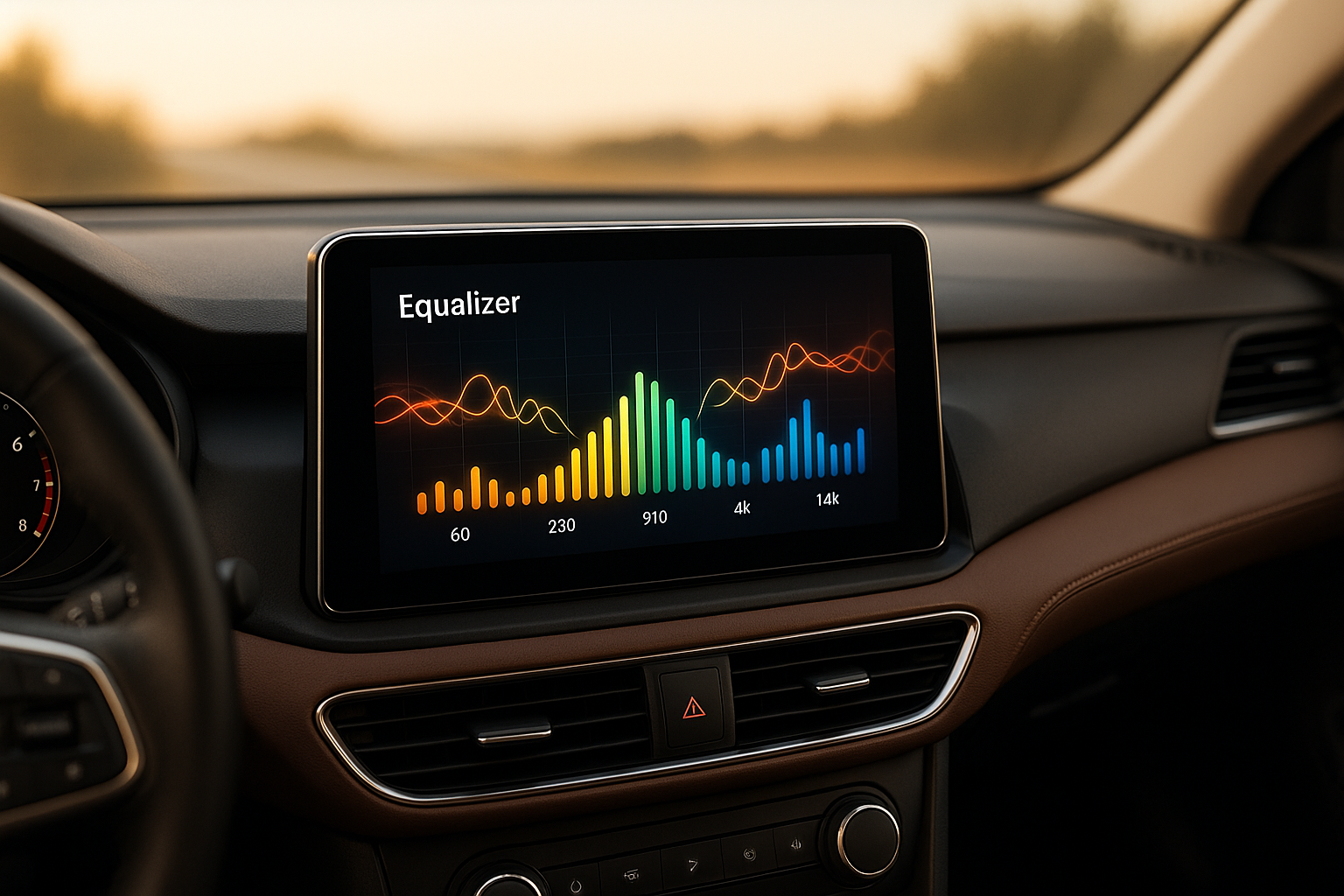
Modern Android car players come with advanced equalizers that let you fine-tune your car’s audio for better sound clarity and balance. These tools address common challenges like road noise, speaker placement, and interior acoustics. Here are the top five equalizer features you should know about:
- Graphic Equalizers: Adjust multiple frequency bands (e.g., bass, midrange, treble) with easy-to-use sliders. Most systems offer 7-band controls for practical customization.
- Parametric Equalizers: For precise adjustments, these allow you to target specific frequencies, control bandwidth, and fine-tune gain for a detailed sound profile.
- DSP Integration: Digital Signal Processing adds advanced features like time alignment, phase correction, and multi-zone audio control, ensuring balanced sound across all speakers.
- Bass Boost and Audio Restoration: Enhance low frequencies and recover details lost in compressed audio files for a richer listening experience.
- Source Normalization and Dynamic Range Control: Keep consistent volume levels across different audio sources while maintaining clarity and detail.
These features cater to both casual listeners and audio enthusiasts, making it easier to customize your car’s audio system to your preferences.
🎚️ Equalizer Setting in TS7 Android Car Stereo | Best Sound Setup

Quick Comparison
| Feature | Customization Depth | Ease of Use | Impact on Sound Quality | Ideal For |
|---|---|---|---|---|
| Graphic Equalizers | Moderate | Very Easy | High | Beginners and casual users |
| Parametric Equalizers | Very High | Difficult | Very High | Advanced users seeking precise control |
| DSP Integration | High | Moderate | Very High | Intermediate to advanced users |
| Bass Boost & Audio Restoration | Low to Moderate | Easy | Moderate to High | All users, especially with factory speakers |
| Source Normalization & Dynamic Range | Moderate | Easy to Moderate | High | Users switching between multiple sources |
Each feature offers a unique way to improve your in-car audio experience, whether you’re looking for quick adjustments or professional-level sound tuning.
1. Graphic Equalizers: Multi-Band Frequency Control
Graphic equalizers are all about giving you control over multiple frequency bands to shape your audio experience. Most Android car players typically come with a 7-band equalizer, covering frequencies like 63Hz, 125Hz, 315Hz, 750Hz, 2.2KHz, 6KHz, and 12KHz. This setup allows you to adjust specific frequencies – either boosting or reducing them – to fine-tune your sound.
The Range of Customization
While some systems offer as few as 5 bands and others go up to 31 for ultra-precise adjustments, the 7-band configuration strikes a practical balance between ease of use and flexibility. Brands like YeeElek take full advantage of these features, letting you craft an audio profile that feels truly personalized.
2. Parametric Equalizers: Precision Tuning and Flexibility
Parametric equalizers take sound customization to a whole new level, offering precision that graphic EQs simply can’t match. Unlike graphic EQs, which are limited to fixed frequency bands, parametric equalizers give you the power to choose specific frequencies, control the width of the adjustment, and decide how much to boost or cut. This level of control makes them ideal for tackling specific audio issues in your car, allowing for deeper customization even in tricky acoustic environments.
Customization Depth
With parametric EQs, you can adjust three key elements: the center frequency, the bandwidth (or Q-factor), and the gain. This flexibility lets you zero in on problem areas with pinpoint accuracy. For instance, if you notice an unpleasant resonance in your car’s cabin, a parametric EQ allows you to isolate and correct that exact frequency without impacting nearby tones. It’s a powerful tool for creating a balanced and detailed sound profile tailored to your car’s unique acoustics.
Ease of Use for All Skill Levels
While parametric EQs require a bit more knowledge than graphic EQs, they cater to both beginners and audio enthusiasts. Casual users can rely on pre-configured settings designed to address common car audio issues, while advanced users can dive into manual controls to fine-tune every detail. Brands like YeeElek integrate both options into their Android car players, offering presets for quick fixes alongside full manual control for those who want to craft their ideal sound.
This combination of simplicity and depth ensures that parametric EQs can deliver noticeable improvements in sound quality for any user.
Impact on Sound Quality
Modern parametric EQs, especially those powered by digital signal processors (DSPs), allow for highly precise adjustments without compromising the original audio signal [6]. This means you can achieve cleaner tones and restore sound quality that might otherwise be lost due to your car’s acoustic challenges, like road noise or engine hum [3]. By enabling surgical tweaks, these EQs enhance clarity, reduce distortion, and help you create a sound profile that perfectly matches your preferences [1]. Used correctly, they can transform your in-car audio experience.
Adapting to Vehicle Acoustics
Every car has its own acoustic quirks, shaped by factors like interior design, speaker placement, and materials. Parametric equalizers shine in this area, allowing you to address specific frequency issues unique to your vehicle [2][3][4][5]. Whether you’re dealing with overpowering bass, unclear mid-range tones, or sharp high frequencies, a parametric EQ provides the precision needed to fine-tune the sound without sacrificing the quality of other frequencies. It’s the ultimate tool for tailoring your audio system to your car’s environment.
3. Digital Signal Processing (DSP) Integration
Digital Signal Processing (DSP) has revolutionized how audio is managed in Android car players. By processing signals digitally, DSP enables real-time adjustments and intricate calculations that were unattainable with older analog systems. This technology lays the groundwork for multiple equalizer features to work together effortlessly, delivering professional-grade audio directly to your car.
Customization Depth
With DSP integration, you gain access to advanced features like crossover management, time alignment, phase correction, and multi-zone audio control. By performing thousands of calculations per second, DSP ensures your speakers are synchronized and the acoustics are tailored to your preferences.
One standout capability is multi-zone audio control. DSP allows you to set different EQ settings for the front and rear speakers, so passengers in the back can enjoy sound optimized to their area, while the driver experiences a completely different audio profile. Additionally, advanced DSP systems adjust frequencies in real time to counteract road noise, ensuring consistent sound quality no matter the driving conditions.
User-Friendly for All Experience Levels
Modern DSP systems cater to both casual listeners and audio enthusiasts. Auto-tuning algorithms analyze your car’s acoustics and automatically apply ideal settings, making it effortless for everyday users. At the same time, advanced users can dive into precise parameter controls through an intuitive interface that displays real-time frequency response curves.
YeeElek’s Android car players take this a step further with visual feedback, showcasing real-time frequency curves and offering touch-friendly controls. This design demystifies complex concepts like Q-factor and gain staging, making them accessible even to users who might shy away from traditional, overly technical interfaces.
Boosting Sound Quality
DSP integration significantly improves audio fidelity by maintaining high-resolution processing (24-bit/96kHz). This ensures that even the finest details in your music are preserved, avoiding the loss of quality that often occurs during conversion processes.
Real-time processing enhances sound dynamically across various genres and volume levels. For example, DSP systems can detect sudden volume spikes and apply compression to protect your speakers while keeping the audio clear. Noise reduction algorithms further refine the experience by filtering out unwanted interference, such as engine hum or electrical noise, without compromising the integrity of your music.
These enhancements adapt fluidly to your car’s acoustics, delivering a consistently rich listening experience.
Adapting to Vehicle Acoustics
Every car interior is unique, and DSP systems are designed to accommodate this. By analyzing factors like interior dimensions, speaker placement, and materials, DSP corrects issues such as bass buildup or treble reflections. It also supports multiple listening profiles, allowing you to optimize sound for specific driving scenarios, whether you’re cruising on the highway or navigating city streets.
DSP systems can even store distinct profiles for different conditions. For instance, a highway profile might prioritize mid-range clarity to cut through road noise, while a city profile could enhance bass for a more immersive experience during stop-and-go traffic. These adjustments ensure your audio is always tuned to perfection, no matter where the road takes you.
4. Bass Boost and Audio Restoration Features
Bass boost and audio restoration bring a richer and more immersive sound experience to your car by enhancing low frequencies and recovering details lost in compressed audio files.
Customization Options
Bass boost systems allow you to fine-tune specific frequencies, giving you control over the boost level and center frequency. This ensures that the bass remains clean and impactful without overwhelming the rest of the sound.
Audio restoration takes things a step further by using techniques like harmonic enhancement and dynamic expansion to recover missing overtones and bring back the natural dynamics of the music. Some systems even use psychoacoustic methods to create the illusion of deeper bass, which is especially useful for smaller or factory-installed speakers.
User-Friendly for All Levels
Whether you’re a casual listener or an audio enthusiast, these features are designed with you in mind. For everyday users, presets like "Rock Bass", "Hip-Hop Punch", or "Jazz Warmth" make it easy to enhance the sound with just a click. There are also one-touch options for automatic adjustments.
For those who want more control, advanced settings such as Q-factor adjustments, subwoofer output integration, and real-time spectrum analysis allow you to shape the sound to your exact preferences. These tools make it possible to create a balanced and customized audio experience.
Boosting Sound Quality
When done right, bass boost and audio restoration improve the depth and impact of low frequencies, recover details lost in compression, and enhance the transient response. The result is a more natural and engaging listening experience.
Adapting to Your Car’s Acoustics
Modern systems use adaptive algorithms to tailor the bass boost and restoration to your car’s unique acoustics. These adjustments account for factors like interior space, materials, and background noise, ensuring clear and consistent sound no matter the driving conditions.
5. Audio Source Normalization and Dynamic Range Control
Audio source normalization and dynamic range control are essential tools for keeping your audio experience smooth and consistent, whether you’re streaming music or using USB sources. By leveraging advanced tuning techniques and digital signal processing (DSP), these features ensure that sudden volume jumps between tracks are avoided, all while preserving the natural feel of the music. This level of refinement enhances the performance of graphic equalizers, parametric adjustments, and other DSP features across all audio inputs in your car.
Tailored Customization Options
Modern Android car players provide a wealth of options for fine-tuning normalization and dynamic range settings. For instance, you can adjust target loudness using industry-standard metrics, ensuring consistent playback volumes. Multiband compression takes this a step further by allowing independent control over low, mid, and high frequencies, so you can tailor the sound to suit the unique characteristics of each input source.
With dynamic range control, users can tweak compression thresholds and timing parameters, ensuring that compression only kicks in when necessary. This approach keeps the audio crisp and impactful, without over-processing softer or louder parts of the track.
Designed for All Users
Whether you’re a casual listener or an audio enthusiast, these systems are built to meet your needs. For everyday users, smart presets like "Consistent Volume" and one-touch toggles like "Volume Leveling" make it easy to achieve balanced audio without diving into complex settings.
For more advanced users, real-time visual tools add another layer of control. Meters displaying input and output levels, compression activity, and dynamic range metrics help you fine-tune your adjustments. Historical volume graphs even show how your changes affect sound quality over time.
Boosting Sound Quality
Normalization reduces the fatigue that can come from constant volume fluctuations, keeping the listening experience smooth without sacrificing audio integrity. Meanwhile, dynamic range control ensures that quieter parts of a track are still audible in noisy environments, while louder peaks retain their punch. Intelligent limiting techniques also prevent distortion during high-volume moments, delivering a rich and immersive sound.
Adapting to Your Vehicle’s Acoustics
Some systems go a step further by analyzing your car’s unique acoustics, including its frequency response and ambient noise levels. This ensures that your audio remains clear and balanced, no matter the driving conditions.
Feature Comparison Table
Here’s a handy table that breaks down key equalizer features. It’s designed to help you quickly compare options and figure out which one suits your needs best. The comparison focuses on customization, ease of use, and how much each feature impacts sound quality.
| Feature | Customization Depth | Ease of Use | Sound Quality Impact | Best For |
|---|---|---|---|---|
| Graphic Equalizers | Moderate | Very Easy | High | Beginners and casual listeners looking for quick, visual adjustments |
| Parametric Equalizers | Very High | Difficult | Very High | Advanced users and audio professionals who want precise control |
| DSP Integration | High | Moderate | Very High | Intermediate to advanced users needing comprehensive audio processing |
| Bass Boost & Audio Restoration | Low to Moderate | Easy | Moderate to High | All users, especially those with factory speakers or compressed audio |
| Source Normalization & Dynamic Range | Moderate | Easy to Moderate | High | Users frequently switching between multiple audio sources |
Each feature serves a specific purpose, catering to different levels of expertise and listening needs:
- Graphic Equalizers are perfect for beginners. They use slider controls that provide instant visual feedback, making it easy to tweak sound settings without much effort.
- Parametric Equalizers are all about precision. They allow you to fine-tune frequency, bandwidth, and gain, making them a favorite among audiophiles and professionals. However, they come with a steeper learning curve.
- DSP Integration goes a step further, offering advanced audio processing with guided setups and real-time analysis. It’s ideal for users who want a more comprehensive approach to sound customization.
- Bass Boost and Audio Restoration focus on enhancing low-end tones and recovering subtle details in compressed audio. These features are user-friendly and work well for a wide range of setups.
- Source Normalization and Dynamic Range Control ensure consistent volume levels when switching between different audio sources. This feature is especially helpful for those juggling multiple devices.
The sound quality improvements you’ll experience depend on your starting setup and personal preferences. While parametric equalizers and DSP integration offer the most dramatic enhancements, they require some technical know-how to get the best results. On the other hand, graphic equalizers and restoration features provide simpler, more predictable upgrades that are great for factory audio systems.
For beginners, graphic equalizers and bass boost features strike the right balance between ease of use and noticeable improvement. Meanwhile, advanced users will likely appreciate the control and versatility offered by parametric equalizers and DSP suites, though mastering them takes time and patience.
Conclusion
These features can significantly improve your audio experience, even if you’re using factory-installed speakers. No matter your current setup, they work together to elevate sound quality.
Each feature plays a unique role in shaping a seamless audio experience. For instance, graphic equalizers make quick, visual adjustments easy, while parametric equalizers allow for more precise, professional-level tuning. DSP integration blends simplicity with advanced functionality, and bass boost and audio restoration add depth and clarity without requiring complex settings. Meanwhile, source normalization and dynamic range control ensure consistent volume levels when switching between different audio inputs.
The key to great sound lies in choosing the right system. YeeElek’s systems combine these advanced features with user-friendly interfaces, making sound customization accessible to everyone. Start with straightforward tools like graphic equalizers, and as you grow more confident, explore the more advanced options. A well-designed system ensures reliable, high-quality audio that enhances every drive.
FAQs
What’s the difference between a graphic equalizer and a parametric equalizer, and which one should I use for my car’s audio system?
A graphic equalizer is a handy tool for making quick and straightforward sound adjustments. It features fixed frequency bands, each controlled by sliders that let you adjust the gain. This setup is especially useful in car audio systems, where simplicity and convenience are often top priorities.
In contrast, a parametric equalizer offers much more flexibility. It not only allows you to control the gain but also lets you fine-tune the exact frequency and adjust the bandwidth (Q factor). This makes it a go-to option for addressing specific audio issues or crafting a highly personalized sound.
For most car audio setups, a graphic equalizer gets the job done, providing easy, on-the-spot adjustments. But if you’re an audiophile aiming for precise sound customization, a parametric equalizer could be the better fit.
What is DSP in an Android car player, and how does it improve sound quality?
What Is DSP in Android Car Players?
DSP, or Digital Signal Processor, is a game-changer for audio enthusiasts using Android car players. This feature fine-tunes your sound by adjusting frequencies, time alignment, and equalization. The result? Crystal-clear audio, balanced tones, reduced distortion, and deeper, more refined bass that brings your music to life.
What makes DSP stand out is its ability to let you personalize your car’s audio system. You can tweak the settings to match your preferences, delivering a sound experience that feels tailor-made. Whether you’re just enjoying a casual drive or you’re a dedicated audiophile, DSP ensures your in-car audio hits all the right notes.
How do audio normalization and dynamic range control improve sound quality in Android car players?
Audio normalization and dynamic range control make your in-car listening experience smoother and more enjoyable by keeping volume levels consistent and enhancing sound clarity. Audio normalization ensures that all your music plays at a steady volume, so you won’t have to deal with abrupt loudness changes when switching between tracks or inputs. Meanwhile, dynamic range control fine-tunes the balance between soft and loud sounds, making it easier to catch subtle details without being overwhelmed by louder moments – ideal for the ever-changing noise levels of driving.
Together, these features deliver a more seamless listening experience, reducing fatigue and ensuring crisp, high-quality audio, no matter what you’re listening to or where you’re driving.
