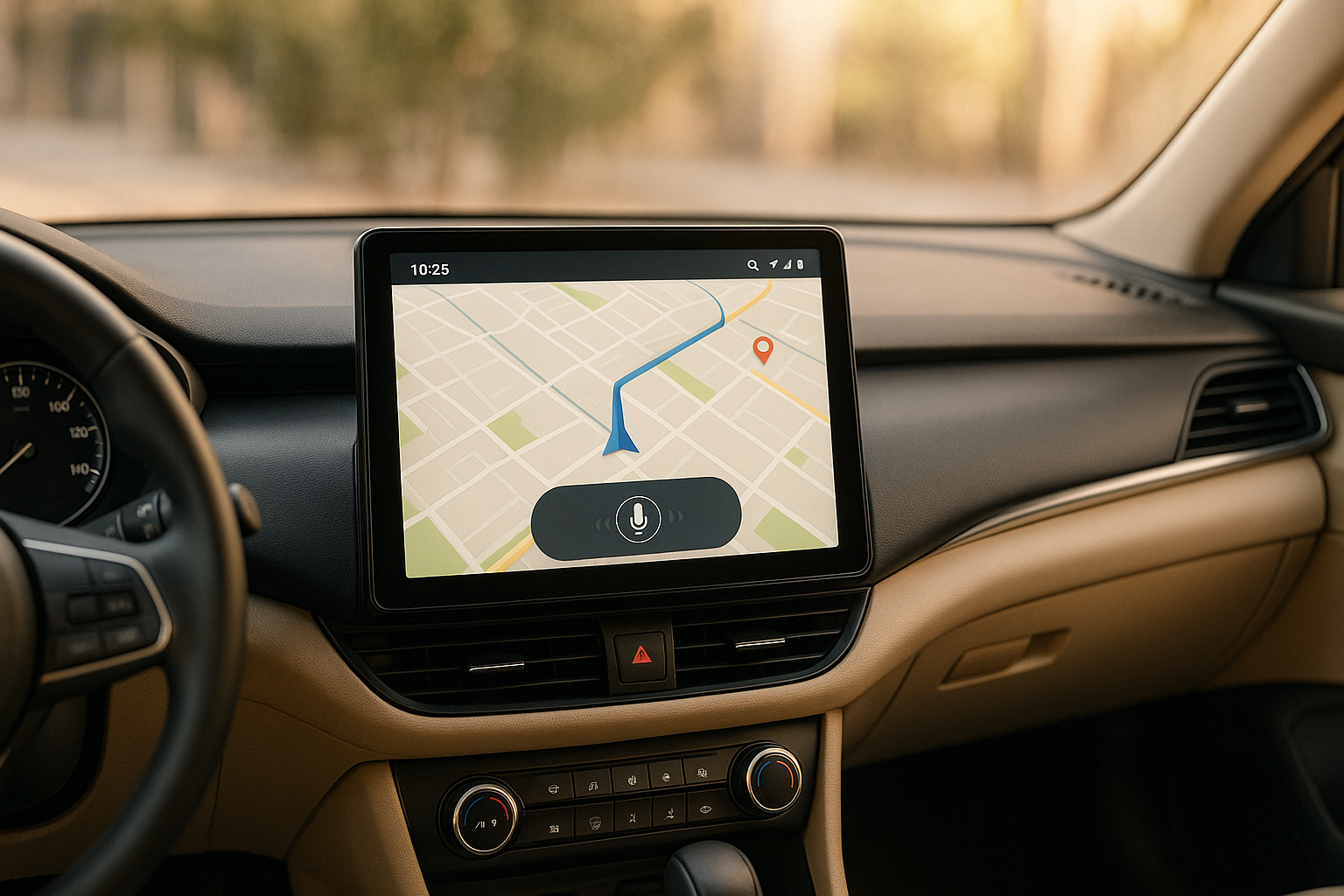
If you’re in the market for an Android car player, here’s what matters most: seamless smartphone integration, safety-focused features, and user-friendly design. Modern systems combine navigation, entertainment, and communication into one hub, making your drive safer and more enjoyable.
Key Features to Consider:
- Android Auto Integration: Access apps like navigation, music, and messaging safely via voice commands or touch.
- High-Resolution Touchscreens: Look for anti-glare coatings, brightness of 1,000 nits or more, and IPS technology for clear visuals in any lighting.
- Voice Control & AI: Hands-free control with Google Assistant and features like natural language processing and predictive suggestions.
- Connectivity: Bluetooth 5.0+ for stable pairing and Wi-Fi for wireless Android Auto or hotspot capabilities.
- Wide App Compatibility: Support for navigation (Google Maps, Waze), music (Spotify, Pandora), and communication apps.
- Custom Interface Options: Tailor layouts, colors, and features to your car and preferences, with OEM/ODM support for advanced customization.
- GPS Navigation with Live Updates: Real-time traffic, weather integration, and speed limit alerts for smarter routing.
Quick Tip: Premium models often offer faster processors, larger storage, and better connectivity, ensuring smoother performance over time.
Best Android Car Stereo Buying Guide
1. Android Auto Integration

Android Auto brings your favorite apps – like navigation, music, and messaging – straight to your car’s display in a way that’s designed to keep driving safe and distraction-free. It allows you to stay connected and entertained without needing to pick up your phone.
One standout feature is the hands-free voice control powered by Google Assistant. With just your voice, you can get directions, play music, or send messages – all while keeping your hands on the wheel and eyes on the road.
YeeElek’s Android car multimedia systems make it even easier by supporting both wired and wireless Android Auto connections, ensuring a smooth and responsive experience every time.
2. High-Resolution Touchscreen Display
A sharp, responsive touchscreen is a must-have for any Android car player since it serves as the main hub for navigation, entertainment, and vehicle controls. Its quality directly impacts both safety and the overall driving experience.
Car displays face a unique challenge: they need to perform well under varying lighting conditions. To meet these demands, they should offer brightness levels of 1,000 nits or more, anti-glare coatings to cut down on reflections, and automatic brightness adjustments that adapt seamlessly from bright daylight to nighttime driving. These features ensure clear visibility at all times while reducing eye strain during long trips [1][2][3].
IPS (In-Plane Switching) technology takes the viewing experience up a notch by providing consistent color accuracy and brightness across wide angles. This ensures that both the driver and passengers get a clear view of the screen, no matter their position [3].
YeeElek’s Android car multimedia systems integrate these advanced display features, including UV resistance to protect screens from sunlight-related wear over time. They’re also built to handle extreme weather, with an operating temperature range of –22°F to 185°F (–30°C to 85°C) [3].
Touch sensitivity is another critical factor. The screen should respond quickly and accurately to touches – even if you’re wearing gloves or driving on bumpy roads. To maintain performance in tough automotive conditions, these displays are designed with shock and vibration resistance [3].
3. Voice Control and AI Features
Voice control is a game-changer for drivers, making it easier to manage navigation, music, calls, and messages without taking your focus off the road. It’s all about safety and convenience – allowing you to control your Android car player while staying attentive to traffic. Let’s look at how these features work to improve your driving experience.
Modern Android car players should seamlessly integrate Google Assistant to handle natural speech, even with background noise like the hum of an engine. Advanced noise cancellation ensures your commands are heard clearly, no matter the environment.
The best systems go beyond basic commands, understanding what you mean without needing exact phrases. For example, instead of memorizing specific instructions, you can say something simple like, "Take me home," and the system gets it. This kind of natural language processing makes it easier to use and eliminates the frustration of rigid commands.
With wake word activation, phrases like "Hey Google" or "OK Google" instantly activate the system, keeping everything hands-free. This is especially helpful when you’re navigating tricky traffic situations or need to make quick adjustments without fumbling with buttons.
AI takes things further by offering predictive suggestions based on your habits. It might suggest faster routes during rush hour or tweak your settings if bad weather rolls in – helping you stay ahead of the curve.
For a truly versatile experience, multi-language support is essential. Systems like those from YeeElek excel at recognizing different accents, regional dialects, and speaking styles, making them accessible to a global audience.
Speed matters too. A quick response time – processing commands in just 2-3 seconds – keeps interactions smooth and frustration-free. Plus, offline functionality ensures that essential features like adjusting the volume, changing stations, or accessing contacts work even without an internet connection. This reliability is key for uninterrupted convenience, no matter where the road takes you.
4. Bluetooth and Wi-Fi Connectivity
A strong and reliable connection is essential for any modern Android car player. It’s what allows seamless phone pairing, uninterrupted internet access, and smooth wireless data sharing. Without dependable Bluetooth and Wi-Fi, even the most advanced features lose their functionality.
Bluetooth 5.0+ is a game-changer for stable connections and crystal-clear audio streaming. This version offers a vastly improved range – up to 800 feet in open spaces – and operates more efficiently than older versions. It even supports pairing multiple devices simultaneously, so you can handle calls and play music without hassle.
Most quality Android car players automatically connect within 10-15 seconds after you start the car. Even when your phone is tucked away in a pocket or bag, these systems maintain a stable connection, avoiding those annoying audio dropouts common with weaker setups.
When it comes to Wi-Fi connectivity, dual-band support (2.4GHz and 5GHz) ensures you’re covered in various scenarios. The 2.4GHz band is great for better range and penetrating obstacles, while the 5GHz band delivers faster speeds, perfect for streaming HD videos or downloading updates on the go.
For added convenience, Wi-Fi hotspot capability turns your car player into a mobile internet hub. This lets you share your phone’s data connection with other devices in the vehicle, keeping passengers connected for work or entertainment during road trips.
Another standout feature is support for wireless Android Auto, which eliminates the need for USB cables. This setup uses Bluetooth for pairing and low-latency audio, while Wi-Fi handles data-heavy tasks like navigation and app usage.
Highway driving can pose challenges with shifting network signals, but top-tier Android car players come equipped with intelligent switching algorithms. These ensure the system automatically selects the strongest available connection without disrupting your activities.
The range of connectivity depends on the size of your vehicle. For standard passenger cars or SUVs, reliable connections should cover the entire interior. Larger vehicles like RVs or trucks may require systems with external antenna support to extend Bluetooth and Wi-Fi coverage.
To keep data usage in check, advanced systems offer features like data compression, content caching, and usage monitoring. These tools help you avoid unexpected charges while keeping your system running smoothly.
sbb-itb-e12833d
5. Wide App Compatibility
A well-connected car isn’t just about voice control and connectivity – it’s about how seamlessly it integrates with the apps you rely on every day. App compatibility turns your car’s display into a smart, helpful companion on the road.
Let’s start with navigation apps. Tools like Google Maps and Waze are must-haves, offering real-time traffic updates, lane guidance, and alerts from other drivers. They make getting from point A to point B smoother and safer.
For entertainment, music and audio streaming apps take the spotlight. Whether it’s Spotify, Amazon Music, Pandora, or SiriusXM, these platforms let you enjoy personalized playlists and on-demand content, all controllable with your voice.
Staying connected while driving is just as important. With communication apps like WhatsApp, Facebook Messenger, and Skype, paired with Google Assistant, you can make hands-free calls or send voice messages – all without taking your eyes off the road.
Thanks to Android Auto, the apps you use are optimized for safety, featuring larger buttons and voice commands for easy operation. Some systems even allow full Android app installations, unlocking extras like streaming video (when parked), video calls, and secure banking options.
For localized convenience, apps such as GasBuddy, ParkWhiz, and AAA Mobile are incredibly handy. They help you find nearby gas stations, parking spots, or roadside assistance when you need it most.
Automatic Wi-Fi updates ensure your apps stay up-to-date, but manual update options keep you in control. A well-maintained app ecosystem keeps your car’s system running smoothly, while managing data usage smartly. This app integration lays the groundwork for even more advanced features, which we’ll explore in the next sections.
6. Custom Interface and OEM Options
When selecting an Android car player, having control over customization can transform your driving experience. The ability to tweak the interface and utilize OEM (Original Equipment Manufacturer) and ODM (Original Design Manufacturer) services lets you go beyond a basic setup, creating a system tailored to your vehicle and personal preferences.
Interface customization goes far beyond just swapping wallpapers or changing icon colors. Today’s Android car systems allow you to rearrange menus, resize buttons, and adjust layouts to suit your driving habits. For example, you can keep essential features like navigation or music controls front and center, while less-used functions remain tucked away in secondary menus.
For car manufacturers and professional installers, OEM services open up even more possibilities. These services allow for complete branding personalization, from startup logos to color schemes that match your vehicle’s interior. Software can also be fine-tuned to integrate seamlessly with your car’s existing systems, such as steering wheel controls, backup cameras, or dashboard displays.
With ODM options, the customization extends to hardware as well as software. You can modify screen sizes, add specific ports, or integrate unique features that aren’t available in standard systems. These services are particularly useful for vehicles with specialized equipment or for adding industry-specific applications.
The 15-day production timeline for custom orders makes these services practical for both individual buyers and fleet managers. Whether you’re ordering a single unit or outfitting an entire fleet, OEM and ODM services ensure consistent quality and functionality.
Customization also allows for feature adjustments to suit specific needs. For instance, certain functions can be disabled for safety compliance, or specialized apps can be added for commercial purposes. This level of flexibility ensures your Android car player fits your needs, rather than making you adapt to a generic system.
When paired with advanced navigation capabilities, these customization options elevate the usability and functionality of your car system to a whole new level.
Modern Android systems take navigation to the next level with dynamic, real-time GPS features that adjust your route based on current road conditions. This isn’t just about getting from point A to point B – it’s about doing it smarter and faster.
Live traffic updates and road conditions are pulled from multiple sources, like connected vehicles, road sensors, and municipal traffic systems. Your system recalculates routes on the fly to help you avoid accidents, construction delays, or unexpected congestion. Whether it’s a lane closure on an Interstate or flooded streets after a storm, you’ll see the latest updates directly on your display.
Weather integration plays a key role, especially in the U.S., where drivers face everything from snowstorms to heatwaves. Your navigation system shows real-time weather details – like temperatures in Fahrenheit, precipitation levels, and severe weather alerts – right on the map. If it’s 15°F with snow warnings, you’ll know to plan extra time or take a safer route with better-maintained roads.
Speed limit updates keep you informed as you travel. For instance, Interstate 10 in Texas has stretches with 80 mph limits, but highways in other states may cap at 65 mph. Your system ensures you’re always aware of the posted limits, even as they change across state lines.
What sets this system apart is its connection to local traffic management systems. These integrations provide details generic apps might miss, like traffic light timing, emergency vehicle routes, or planned roadwork that could slow you down. This level of detail ensures you’re always one step ahead.
Feature Comparison Table
The table below highlights the key differences among Android car players, making it easier to compare essential features at a glance.
| Feature Category | Basic Level | Mid-Range | Premium |
|---|---|---|---|
| Display Size | 7.0" – 8.0" | 9.0" – 10.1" | 10.1" – 12.3" |
| Screen Resolution | 1024 x 600 pixels | 1280 x 720 pixels (HD) | 1920 x 1080 pixels (Full HD) |
| Android Auto Integration | Wired connection only | Wired + wireless options | Full wireless with fast pairing |
| Voice Control | Basic Google Assistant | Enhanced voice commands | AI-powered natural language |
| Bluetooth Version | Bluetooth 4.2 | Bluetooth 5.0 | Bluetooth 5.2+ with multi-device |
| Wi-Fi Connectivity | 2.4GHz only | Dual-band 2.4/5GHz | Wi-Fi 6 with hotspot capability |
| App Compatibility | Core apps (Maps, Music) | 50+ popular apps | 100+ apps with custom installs |
| GPS Navigation | Standard GPS | GPS + GLONASS | Multi-satellite with live traffic |
| Weather Display | Basic forecast | 7-day forecast in °F | Real-time weather with alerts |
| Custom Interface | Limited themes | Brand customization | Full OEM integration |
| Processing Power | Quad-core 1.6GHz | Octa-core 2.0GHz | High-performance 2.4GHz+ |
| Storage | 32GB internal | 64GB internal + SD slot | 128GB+ with cloud sync |
| Audio Output | Standard stereo | Enhanced EQ settings | Premium audio processing |
Key Takeaways
Display resolution plays a major role in user experience. Basic systems offer a resolution of 1024×600, sufficient for simple tasks, while mid-range models bump up to HD (1280×720). Premium options deliver Full HD (1920×1080), ensuring crystal-clear visuals for navigation and media playback.
Processing power is another critical factor. Entry-level models with quad-core processors handle basic functions but may lag during multitasking. Mid-range systems with octa-core processors are better equipped for smooth performance, while premium options with 2.4GHz+ processors ensure lightning-fast responses, ideal for demanding apps and real-time navigation.
Storage capacity becomes increasingly important as you install more apps or download offline maps. Basic systems with 32GB can fill up quickly, especially for those who travel extensively. Mid-range models with 64GB and expandable storage via SD cards offer some breathing room. Premium units, boasting 128GB or more, provide ample space for large app libraries, media files, and offline data.
Weather integration also varies across tiers. Basic models show simple forecasts, while premium systems go a step further with real-time temperature updates, severe weather alerts, and even route adjustments based on weather conditions. This is especially handy during extreme weather, whether it’s icy roads in winter or summer heatwaves.
Connectivity options are crucial for integrating the system into your digital lifestyle. Basic models with Bluetooth 4.2 support calls and music streaming, but mid-range and premium systems with Bluetooth 5.0+ offer faster speeds, better range, and multi-device connections. Premium units also feature Wi-Fi 6, ensuring smoother streaming and faster downloads.
This comparison highlights the essential features that contribute to a safer, more convenient, and entertaining driving experience in today’s connected vehicles. Whether you’re looking for basic functionality or a top-of-the-line system, understanding these differences can help you make the right choice.
Conclusion
Choosing a car multimedia system with features like Android Auto, high-resolution displays, and voice control can turn your daily commute into a safer and more enjoyable experience. These features not only enhance convenience but also help you stay focused on the road. For instance, voice control and responsive touchscreens reduce distractions, while high-resolution displays make it easy to read navigation instructions at a glance.
When selecting a system, compatibility is key. Make sure it works seamlessly with your smartphone and vehicle. A system that struggles with your favorite apps or requires constant troubleshooting can quickly become more of a hassle than a benefit.
If you’re unsure where to start, check out the comparison table for a breakdown of different models. Basic systems might cover essential needs for budget-conscious drivers, but mid-range or premium options often deliver more value over time. These models typically offer faster performance, larger storage capacities, and better connectivity, ensuring they can keep up with advancements in smartphone technology.
YeeElek specializes in Android car multimedia systems tailored to a wide range of automotive needs. They offer solutions with Android Auto integration, OEM/ODM customization options, and dedicated technical support, all backed by a 1-year warranty. With a 15-day production time and an emphasis on user-friendly design, YeeElek is a reliable choice for both individual drivers and businesses looking for dependable in-car entertainment systems.
FAQs
How does Android Auto make driving safer and more convenient?
Android Auto helps make driving safer by cutting down on distractions. With voice commands and streamlined controls, you can manage navigation, calls, and messages without taking your hands off the wheel or your eyes off the road.
On top of that, it adds a layer of convenience by bringing your favorite apps – like maps, music, and messaging – right to your car’s dashboard. This integration means you can access everything you need quickly and easily, making your drive smoother and more enjoyable without the hassle of reaching for your phone.
What features should a high-resolution touchscreen have for clear visibility in different lighting conditions?
A high-resolution touchscreen needs to deliver bright visuals, wide viewing angles, and include anti-glare coatings to cut down on reflections and keep the display easy to see. For extra ease, consider screens with automatic brightness adjustment. This feature adapts to the surrounding light, keeping the display clear whether you’re navigating under the midday sun or driving at night. These elements not only make the screen more user-friendly but also help reduce eye fatigue on longer trips.
How do OEM and ODM customization options improve the user experience in an Android car player?
Customization options, such as OEM (Original Equipment Manufacturer) and ODM (Original Design Manufacturer) services, allow Android car players to be tailored to specific needs, enhancing the overall user experience. With OEM customization, manufacturers can include features like pre-installed apps, personalized user interfaces, and seamless hardware integration. This ensures the system aligns perfectly with the vehicle’s design and functionality.
ODM services take it even further by giving brands the ability to design custom user interfaces, unique feature sets, and even hardware configurations. These options help create an in-car entertainment system that not only matches the brand’s identity but also caters to customer preferences. The result? A system that feels like an integral part of the vehicle, offering a more intuitive and enjoyable driving experience.
